 Stilos
To-do lists and reminders
To-do lists, next to your notes
Keep a to-do list as its own note, tick off a checklist inside any other note, and set a reminder for the things that have a time. One Tasks view gathers everything still unfinished.
A list you can finish
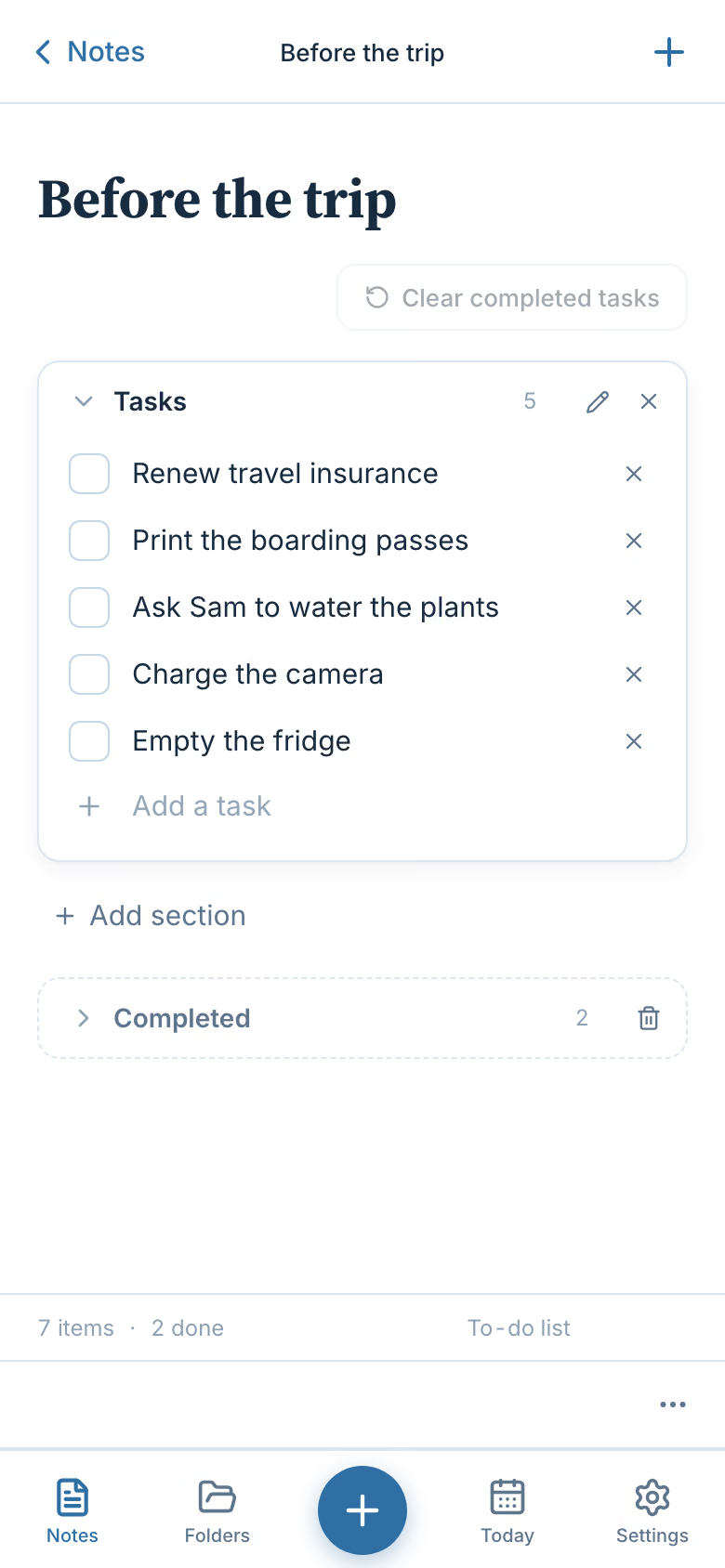
A to-do list in Stilos is a note made for ticking things off. Type a task, press Enter, type the next. When a task is done, tick its box and it moves down into a Completed group, out of your way but not gone.
- Split a long list into sections. Add a section for each part of a job, such as "Before the trip" and "At the airport".
- Paste a list you already have. Each line or bullet becomes its own task. Commas are left alone, so a full sentence stays one task.
- Clear what is finished. One press clears the completed tasks when you no longer need to see them.
- See progress at a glance. The bottom of the list counts how many tasks there are and how many are done.
Notes and tasks in one app
Every loose end in one view
Tasks do not only live in to-do lists. They hide in meeting notes, travel plans and half-finished ideas, as a checklist in the middle of the page. Stilos looks for them so you do not have to.
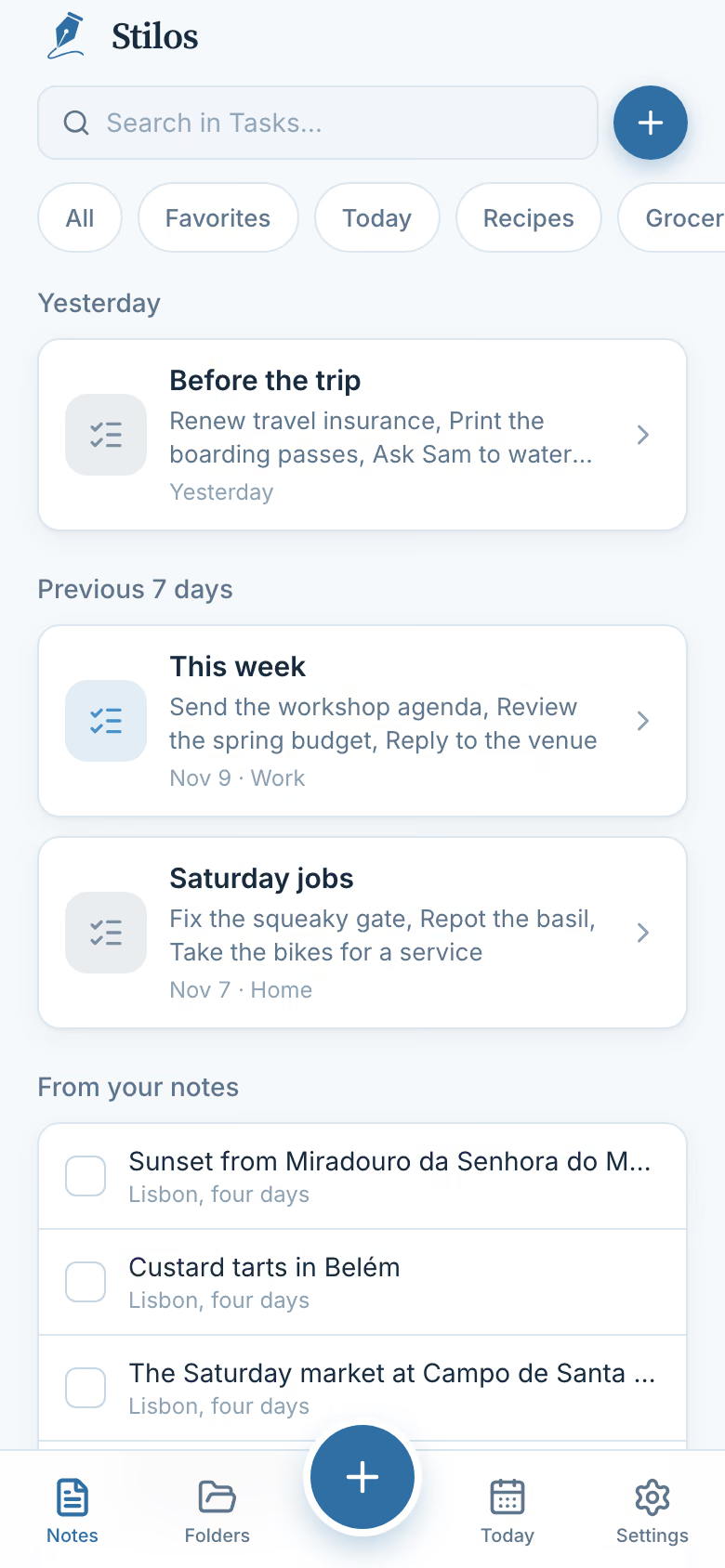
The Tasks view shows your to-do lists first. Below them, under "From your notes", it lists every unticked checklist item from your ordinary notes, each with the name of the note it came from. Tick one there and it is ticked in the note as well. Press its text and the note opens.
A few things are left out on purpose. Recipe ingredients are not treated as tasks. Notes in the archive or in Recently Deleted are skipped. Secure Notes never appear here, so a private checklist stays private.
How it works
Add a reminder to anything
- Open a note or a list. Any note can carry a reminder: a to-do list, a grocery list, a recipe or a page of plain writing.
- Choose when. Pick a quick option, such as in one hour, tomorrow morning or next week, or set your own date and time.
- Get the nudge. On a phone or tablet, the reminder arrives as a notification even when Stilos is closed. It shows the title of the note and nothing from inside it.
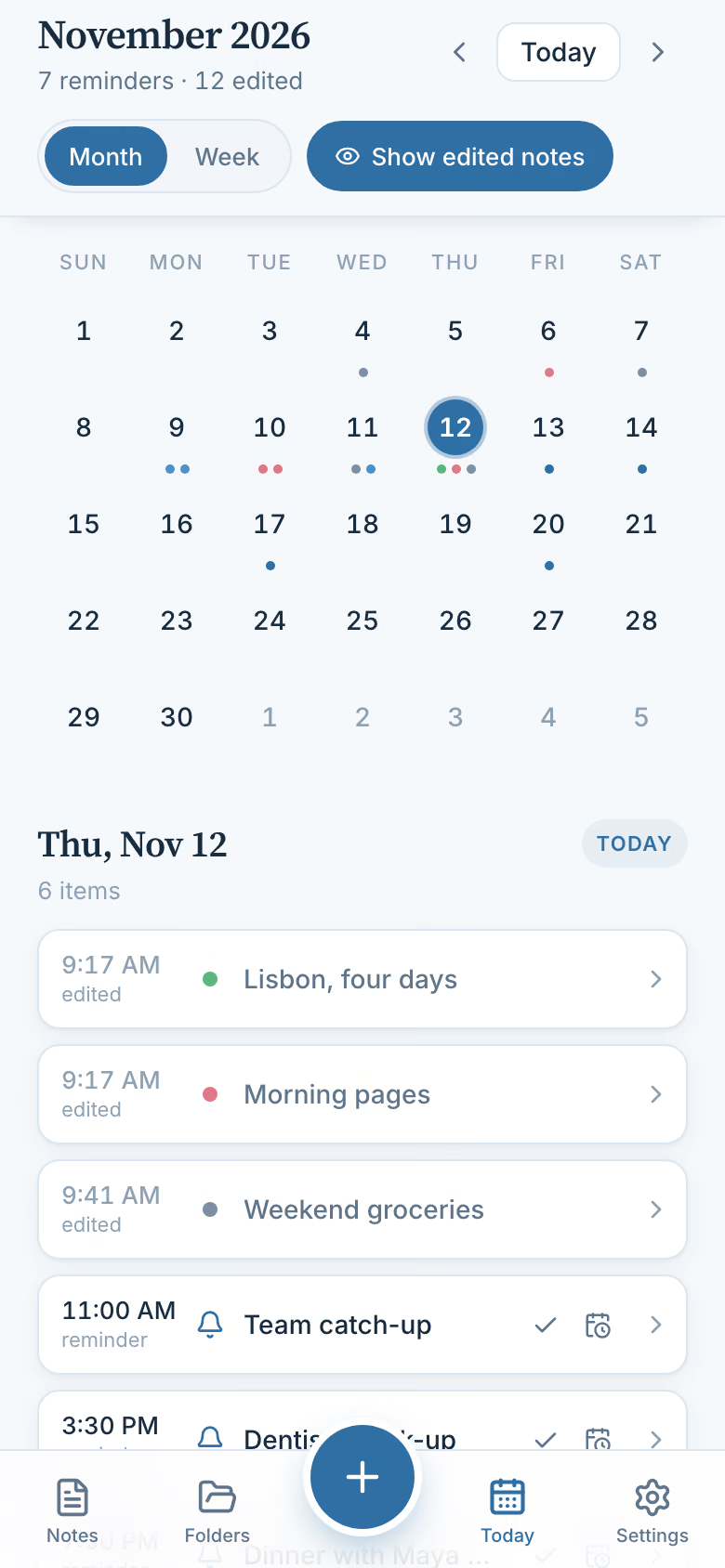
- Mark it done, or move it. Reminders appear on the calendar, where you can mark one as done or reschedule it without opening the note.
What Today shows
On a phone, the Today tab opens the calendar on today's date. Under the month you see the day's reminders in time order, along with the notes you changed that day. It is a view of your day, not a list of tasks that are due: individual tasks in Stilos do not have due dates. Read more about the calendar.
Two limits to know
A reminder belongs to a whole note or list, not to one task inside it, and each note has one reminder at a time. Reminders also do not repeat. On a computer, a reminder can only appear while Stilos is open, because nothing runs in the background and no server sends it for you.
Good to know
Questions about this
Can I keep notes and tasks in the same app?
Yes. A to-do list is one kind of note in Stilos, and any ordinary note can hold a checklist too. The Tasks view gathers your to-do lists and the unticked checklist items from your notes in one place.
Do reminders work when the app is closed?
On a phone or tablet, yes: the reminder is handed to the device, which shows it whether or not Stilos is open. On a computer, a reminder can only appear while Stilos is open.
Can I set a due date on a single task?
Not today. A reminder is set on a whole note or list, with one reminder per note. If you need a reminder for one task, give that task its own short note or list.
Can a reminder repeat every day or every week?
No. Reminders in Stilos happen once. When one arrives you can mark it done or reschedule it for a new time.
Do my tasks leave my device?
No. To-do lists and reminders are stored on your device like every other note, and reminders are scheduled by the device itself. Nothing is sent to us.
More in Stilos
The rest of the app
Grocery lists sorted by aisle
Type or paste a list in any order. One press groups it by store aisle, on your device.
How Organize works →Private notes, no account
Notes stay on your own device. Add a password, and a second lock for the most private ones.
How Stilos keeps notes private →Recipes that write your list
Keep ingredients, steps and photos together, then turn the ingredients into a grocery list.
How recipes work →A calendar for your notes
See reminders and the notes you worked on, by week or by month.
How the calendar works →Free today
Write it down, then get it done
Stilos is free and asks for no account. If you need due dates on single tasks, repeating reminders or something else, tell us. Requests shape what we build next.