 Stilos
Notes with a calendar
A calendar for your notes
See your reminders, and the notes you worked on, laid out by week or by month. Press any day to see what is on it, and start a note for a day that matters.
Your notes, placed in time
A list of notes tells you what you wrote. A calendar tells you when it matters. Stilos puts the two side by side, so the dentist reminder opens straight into the note with the questions you wanted to ask.
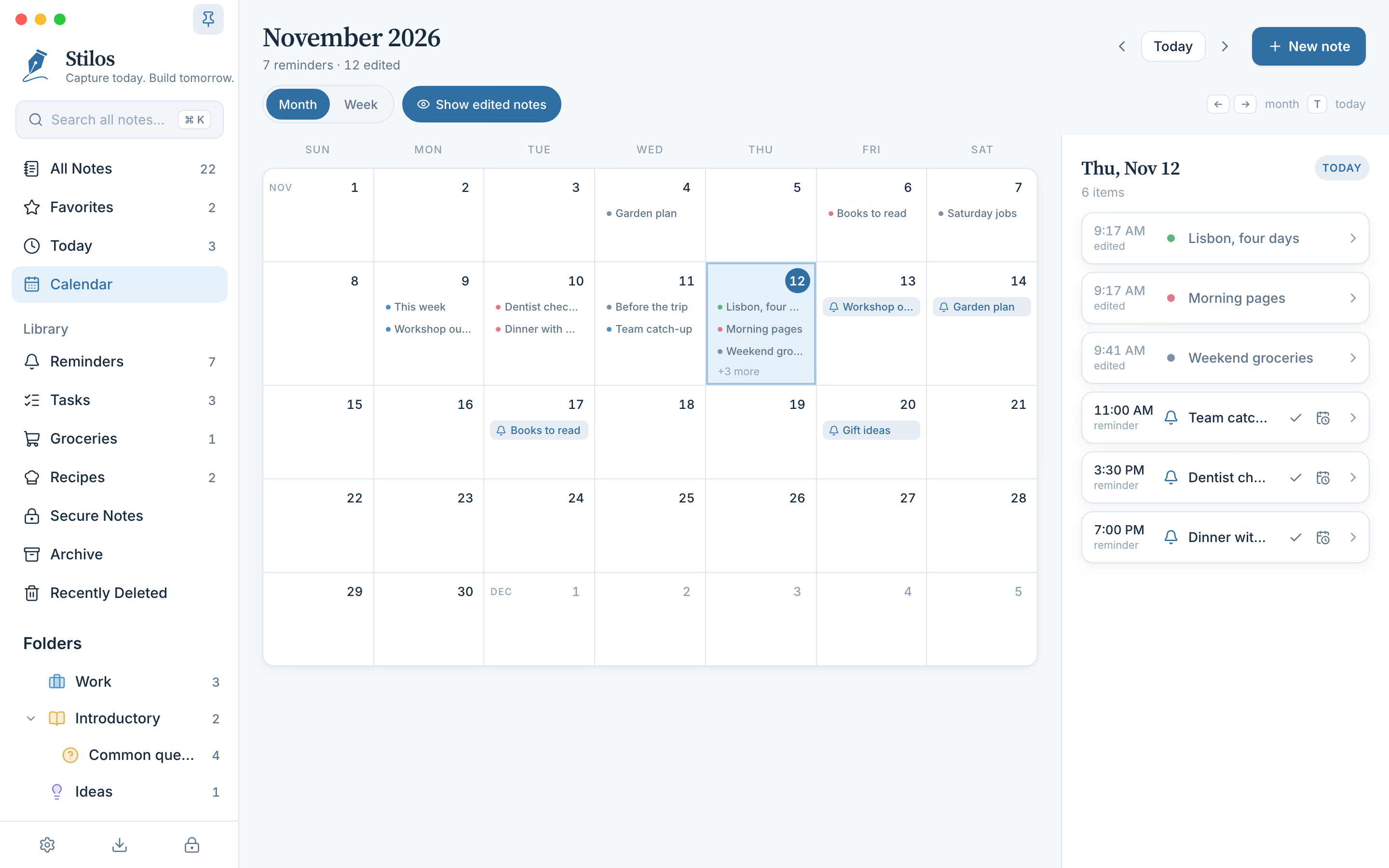
Month view on a computer, with the selected day listed on the right.
By date
What appears on the calendar
- Reminders. Every note with a reminder shows on its day with a small bell, at the time you set.
- Notes you worked on. Each note also appears on the day you last changed it, so the calendar doubles as a record of what you were doing. One switch hides these when you only want reminders.
- Folder colors. A colored dot shows which folder a note belongs to, so work and home are easy to tell apart.
- A count for the month. The heading tells you how many reminders the month holds and how many notes were edited in it.
Notes in Secure Notes stay off the calendar while Secure Notes is locked. Notes in the archive or in Recently Deleted do not appear at all.
How it works
Plan a day in four steps
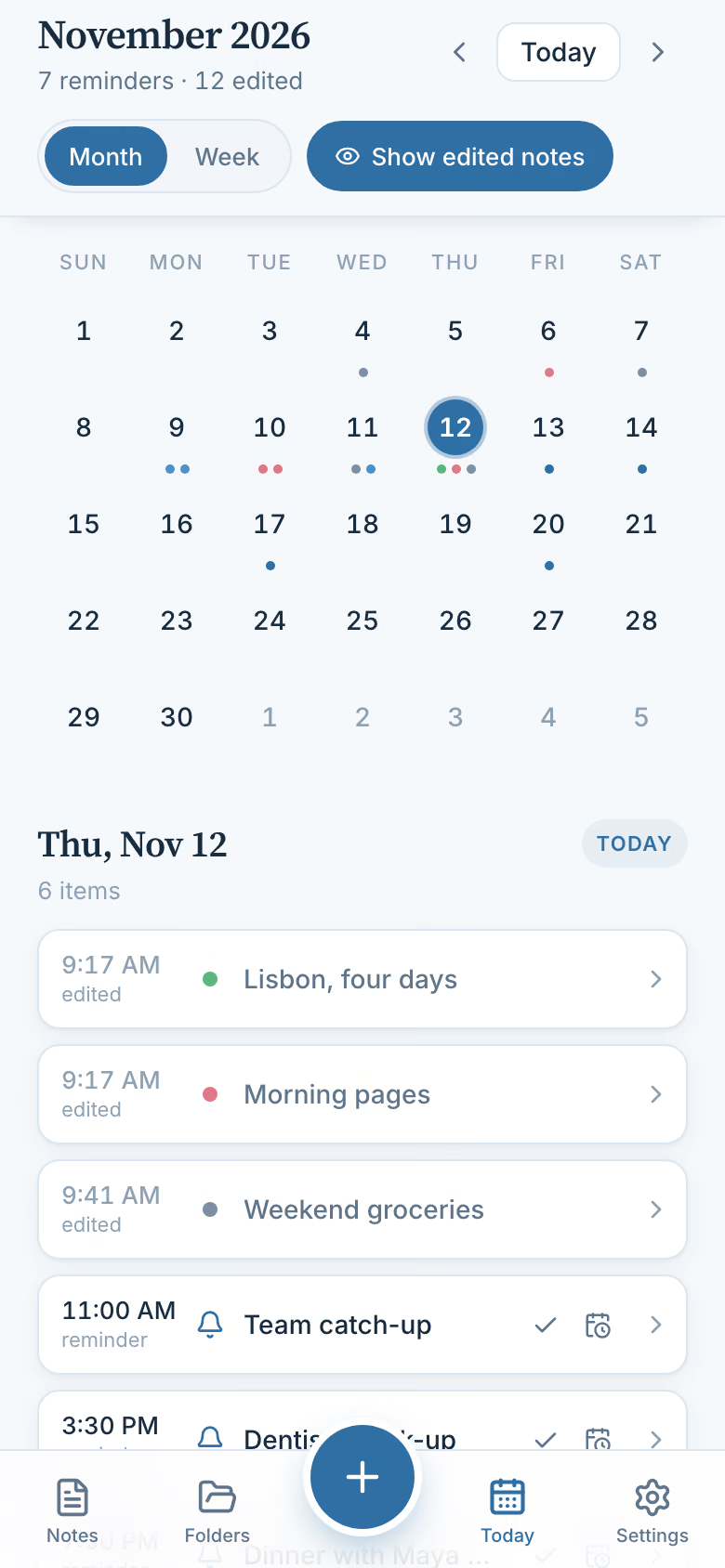
- Open the calendar. On a computer it is in the sidebar. On a phone it is the Today tab, which always opens on today.
- Choose month or week. Month view shows the whole month as a grid. Week view lists seven days, one after another, with everything on them.
- Press a day. That day’s items are listed in time order. Press one to open the note behind it.
- Act from the list. Mark a reminder as done, move it to a new time, or start a new note for that day. A note started from a day gets a reminder for 9:00 that morning, which you can change.
A notes calendar, not a meeting planner
It helps to be clear about what this is. The calendar in Stilos is a way of looking at your own notes and reminders by date. It suits a household or one person's plans: the week's shopping, a trip, appointments, a project with a few dates in it.
It is not a replacement for a shared work calendar. There are no invitations and no events that run from one time to another. It does not connect to the calendar built into your phone or to any online calendar, because Stilos does not connect to anything. What you see is only what is in your notes on that device.
Reminders happen once and do not repeat. On a phone or tablet they arrive as notifications even when Stilos is closed. On a computer they appear while Stilos is open. The page on to-do lists and reminders explains how to set one.
Shared calendars for teams are part of what we plan for organizations. They are not available yet; the coming soon page describes the plan.
Good to know
Questions about this
What does the calendar in Stilos show?
It shows the reminders you have set on notes and, if you want them, the notes themselves on the day each was last changed. You can view a month or a week, and press any day to list what is on it.
Does it connect to the calendar on my phone or to an online calendar?
No. Stilos does not connect to other calendars or services. The calendar shows only your own notes and reminders, stored on your device.
Can I create a note for a future date?
Yes. Choose the day and start a new note from the calendar. The note is given a reminder for 9:00 on the morning of that day, and you can change the time.
Can I see only reminders, without edited notes?
Yes. A switch at the top of the calendar shows or hides the notes you edited, leaving only your reminders.
More in Stilos
The rest of the app
Grocery lists sorted by aisle
Type or paste a list in any order. One press groups it by store aisle, on your device.
How Organize works →Private notes, no account
Notes stay on your own device. Add a password, and a second lock for the most private ones.
How Stilos keeps notes private →To-do lists and reminders
Tick things off, set a reminder on any note, and see every unfinished task in one view.
How tasks and reminders work →Recipes that write your list
Keep ingredients, steps and photos together, then turn the ingredients into a grocery list.
How recipes work →Free today
See your week before it starts
Stilos is free and asks for no account. If you want the calendar to do more, such as repeating reminders, tell us what you need.